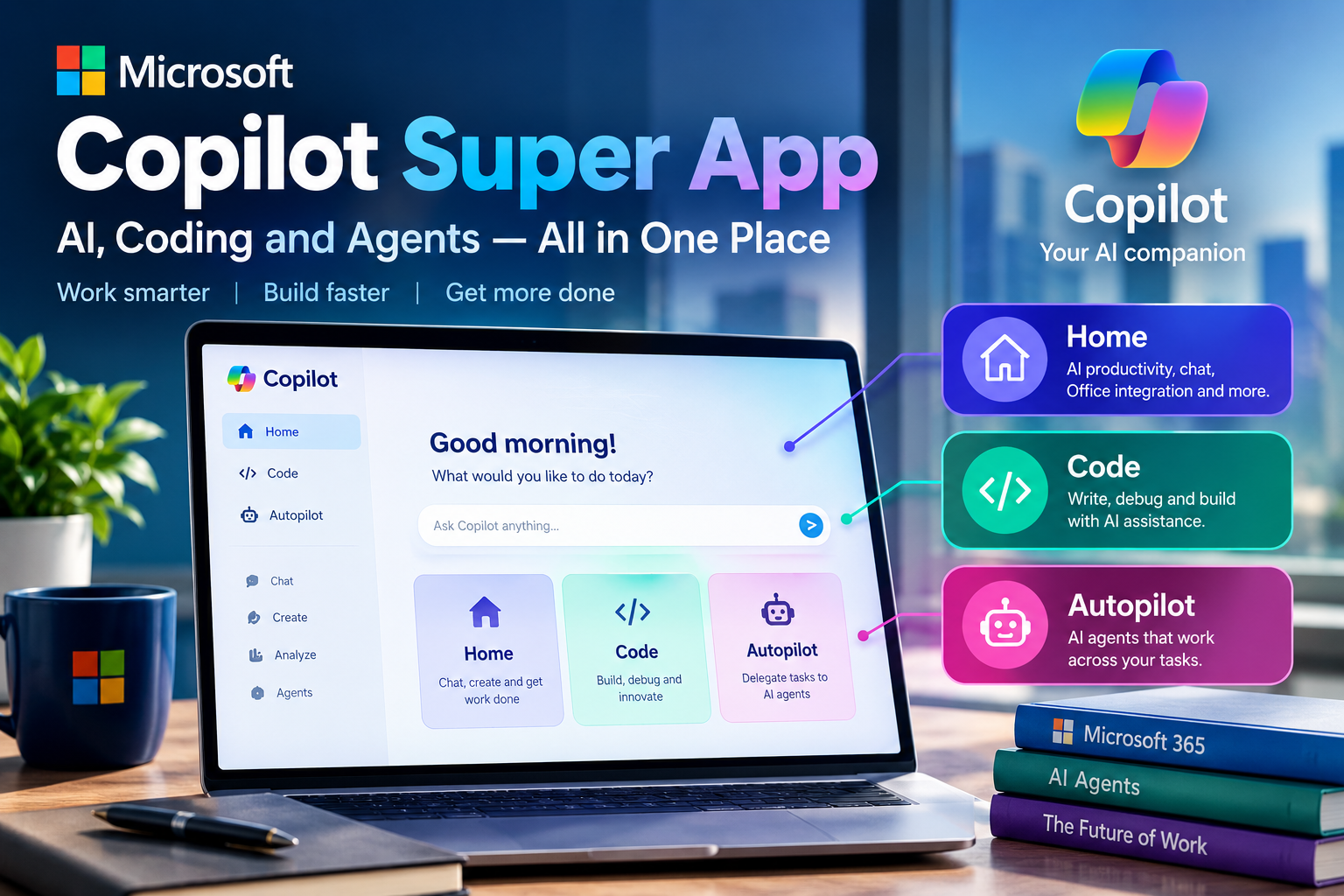
Microsoft Copilot Super App: The Complete Guide to Home, Code and Autopilot









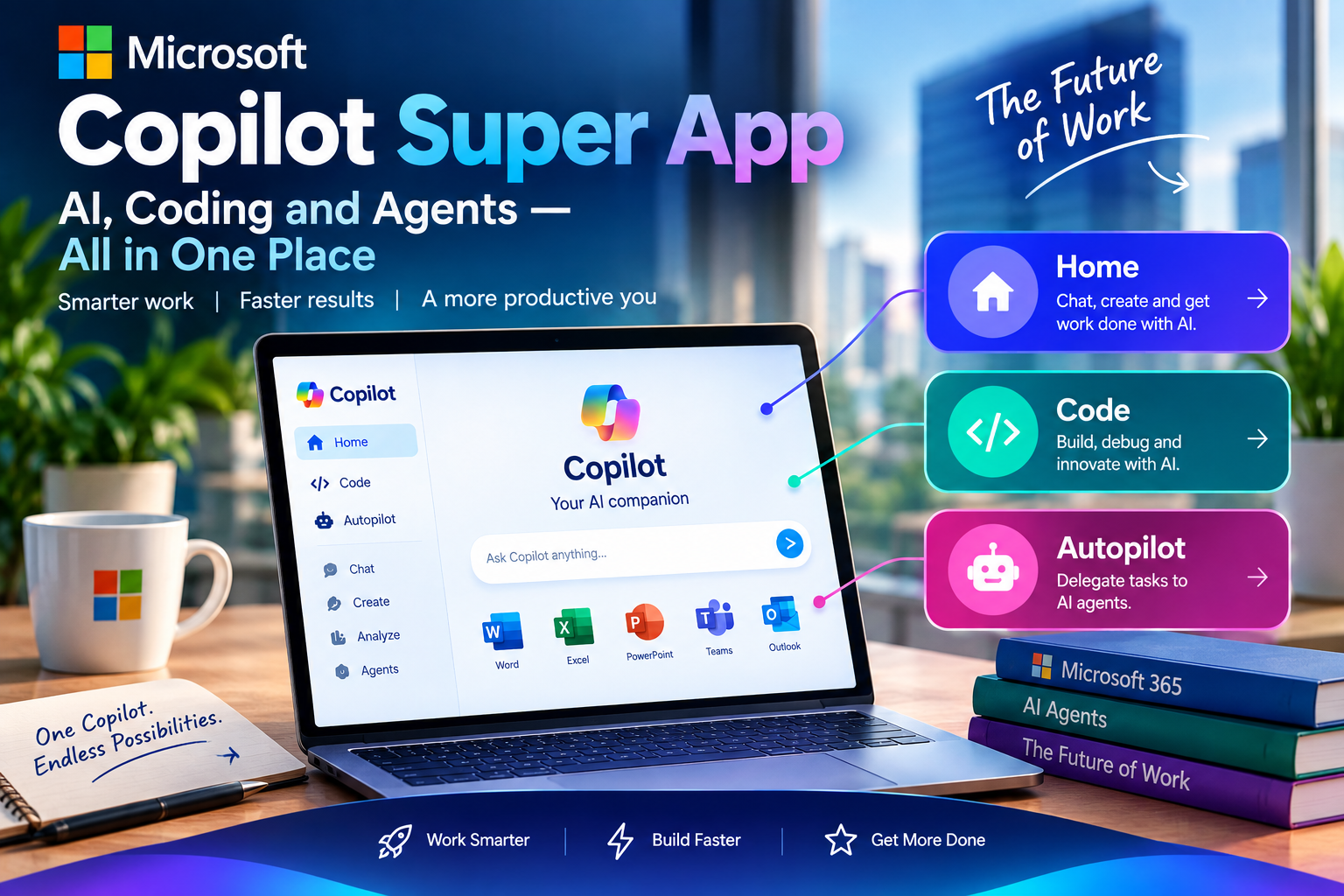
Microsoft unveiled a redesigned Copilot, widely described as the “Copilot Super App.” Until now, most people used Copilot as a chatbot that answers questions. The new version brings AI chat, coding and autonomous task handling into one place.
Latest Technology News: Microsoft says the goal is to connect the tools people depend on with AI capabilities that help them build, customize and scale their work. Instead of opening one app to chat with AI, another to write code and a third to automate tasks, users get a single, central interface.
The Three Experiences at a Glance
The new Copilot is organized around three areas that work inside the same environment.
| Experience | What It Does |
|---|---|
| Home | Combines Chat with Cowork, and lets you work with Word, Excel and PowerPoint content |
| Code | Helps people build software using natural language |
| Autopilot | Lets AI agents work on goals across multiple steps |
Home: Chat Meets Real Work
Home is designed as the starting point for everyday work. It merges conversational Chat with Microsoft’s Cowork experience, so you can ask a quick question and also hand off a more complex task.
Cowork was built to help complete tasks across Microsoft 365. It uses information from emails, meetings, messages and files to understand the context of a request.
The most notable addition is direct work with Office content. You can create and work with Word, Excel and PowerPoint content inside Copilot without switching between separate applications. For example, you could ask for a draft business document, a spreadsheet or a presentation and get a first version to refine.
Code: AI-Assisted Software Development
Coding is one of the most competitive areas in the AI industry, with tools from Microsoft, OpenAI, Anthropic and others now widely used to generate, explain and modify software. Microsoft is placing coding directly inside Copilot.
The aim is to serve professional developers and also people with limited programming experience. A user can describe what they want to build in natural language and work toward a working application or software project.
This may be especially valuable for small businesses that need websites, internal dashboards or automation tools but lack large engineering teams.
Human review is still essential. AI-generated code can contain security vulnerabilities, logical errors or wrong assumptions even when it appears to work. Code is best seen as a development assistant, not a replacement for software engineering expertise.
Autopilot: From Chatbot to AI Agent
Autopilot may be the most significant change. Microsoft previously introduced an always-on personal agent called Scout, and that direction now continues in Copilot under the Autopilot name. It reflects a shift toward agentic AI.
| Traditional Chatbot | AI Agent | |
|---|---|---|
| Starts when | You ask a question | You give it a goal |
| Works by | Answering the prompt | Working through multiple steps |
| Prompts needed | One per request | Not one for every action |
Microsoft describes Autopilot as letting users give an agent a name, role and goal. The agent can then keep working without a new prompt for each action. For instance, an employee could hand an agent the job of monitoring a project, following up on conversations and tracking recurring tasks.
Why It Matters for Businesses
Companies spend a great deal of time on repetitive work such as organizing information, preparing reports, monitoring communication and moving data between systems. If AI agents can handle some of this reliably, businesses could redesign parts of their workflows.
Microsoft’s biggest advantage is its existing ecosystem. Employees already use Outlook, Teams, Word, Excel and PowerPoint, so Copilot can bring AI into familiar tools rather than asking companies to change their software environment. Copilot can also use workplace information from Microsoft 365 to give more relevant help, where permissions and organizational controls allow it.
The Cost of AI
Advanced AI is expensive to run, and usage grows when agents perform many actions instead of answering a single question. Recent reporting indicates that Microsoft is moving toward a combination of subscription and usage-based pricing for some of its more advanced AI capabilities.
This means businesses may need to consider not only how many employees use Copilot, but also how much AI work those employees perform. Time savings must be weighed against the cost.
A Competitive Market
Microsoft is competing with OpenAI’s ChatGPT, Anthropic’s Claude, Google’s Gemini and other platforms. The contest has moved beyond chatbot quality to AI agents, coding tools, workplace integration, enterprise security and the ability to complete real tasks.
Microsoft’s existing software base is a major strength, but it does not guarantee that users will adopt every new feature. Businesses will still evaluate accuracy, security, cost and productivity.
What It Means for Workers
Users can increasingly describe the outcome they want and let software handle parts of the process. That can make some tasks faster, but it also changes which skills matter:
- Writing clear, useful instructions
- Verifying AI-generated information
- Reviewing AI-created documents
- Monitoring automated processes
Oversight remains important because AI makes mistakes. A generated spreadsheet can contain incorrect calculations, a presentation can include inaccurate information, code can have vulnerabilities, and an agent can misunderstand a task if its instructions or context are unclear. The realistic future is humans working with AI while staying responsible for important decisions.
Security and Privacy
A basic chatbot only receives a question. An agent connected to business systems can potentially interact with emails, documents, calendars and files. That creates opportunities for automation but raises the importance of access controls.
| Question Organizations Should Ask | Why It Matters |
|---|---|
| What can the agent access? | Limits exposure of sensitive data |
| What actions can it perform? | Prevents unintended changes |
| What information can it share? | Protects confidentiality |
Businesses should set clear rules for permissions, sensitive information, human approval and auditing. The more independently an AI system acts, the more these controls matter.
What Comes Next
The September 2026 announcement looks like the beginning of a larger transition. The next test is whether these systems deliver consistent value in real workplaces. Consumers may value convenience, developers AI-assisted coding, and businesses automation of repetitive workflows. Success will require reliable systems, transparent controls, strong security and clear economic benefits.
Final Thoughts
The Copilot Super App shows Microsoft’s push to move AI from answering questions to helping get work done, with chat, coding and autonomous agents in one experience. For users, the key question will be which AI can reliably help complete real work while keeping humans in control.
Stay Connected With Tech News